CUSTOM CONTROLS · DESIGNED & BUILT IN-HOUSE
A major upgrade.
Made for your operation.
Your room is custom. Its controls should be, too. Air Flow Services designs, programs, and builds control systems in-house, combining Watlow RMC controllers with Maple Systems touchscreens to put the information your team needs in one clear interface.
THE CENTER OF YOUR CONTROLLED ENVIRONMENT
Designed for the room.
Built for the people
who run it.
We design the controls around the equipment, the required conditions, and the way your staff operates the space. The panel layout, control sequences, touchscreen pages, alarm behavior, and access levels are developed as part of your project.
For a new cold room, environmental chamber, or an existing system ready for an upgrade, the goal is the same: clearer operation, better visibility, and a control system your service team can understand.
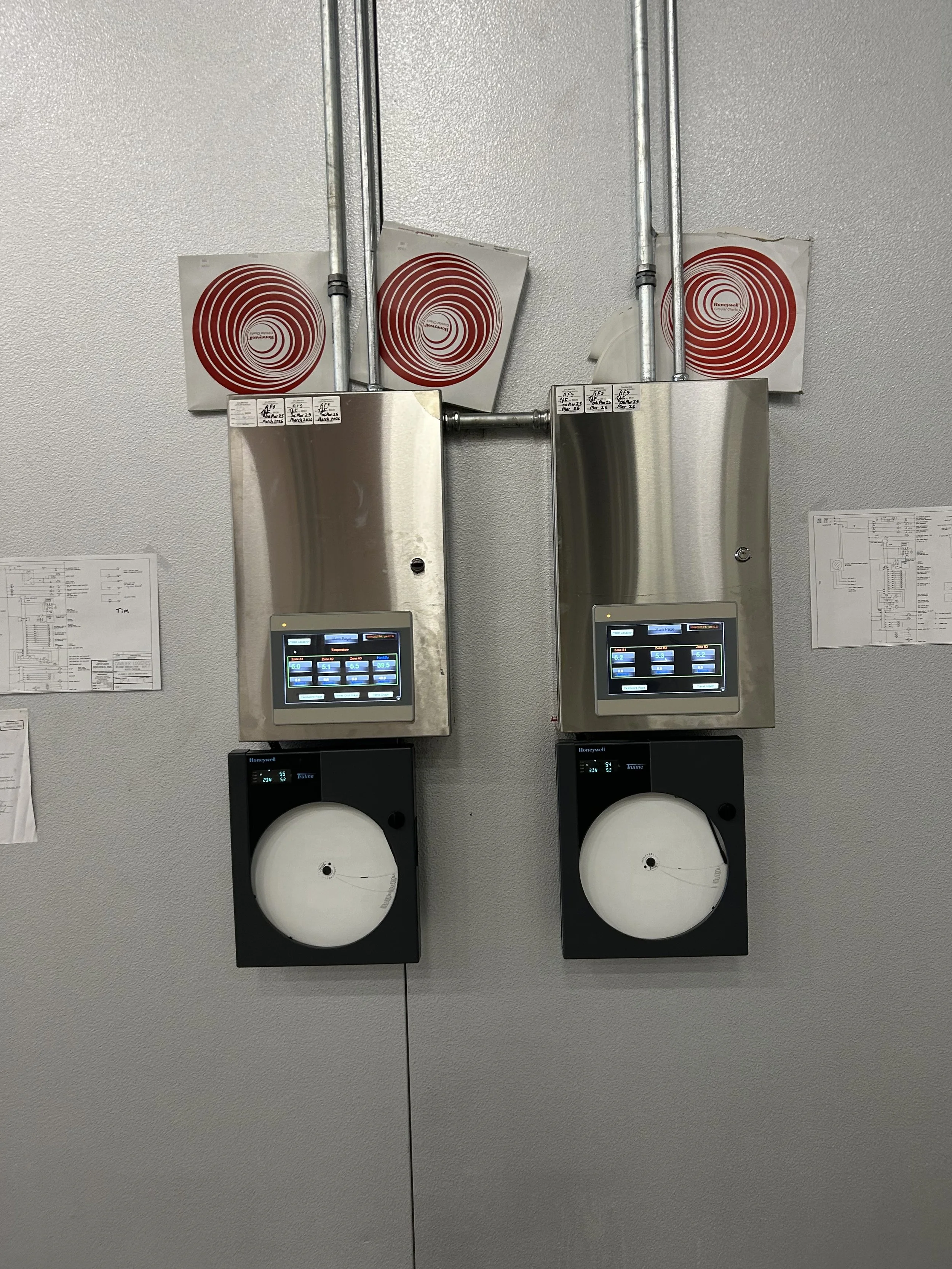
Control systems are tailored to the equipment and operating requirements.
Clear touchscreen operation
Bring room conditions, setpoints, equipment status, alarms, and trends into an organized interface. Screens are arranged around the tasks operators perform.
Project-specific control logic
Coordinate refrigeration, heating, humidity functions, staging, and system rotation as required. The sequence is designed for your equipment and intended operating range.
Built with service in mind
Give technicians useful system information, meaningful alarm descriptions, and access to the settings they need. We design the controls with ongoing troubleshooting and maintenance in mind.
YOUR BRAND. YOUR INTERFACE.
Your logo. Your colors.
A screen that feels
like your own.
Your control panel can look and feel like part of your company. Because we design and program the touchscreen interface in-house, we can incorporate your logo, color scheme, photos, graphics, and preferred screen layouts into the design.
Bring us your ideas—from a branded welcome screen to equipment photos, room diagrams, and a dashboard organized around your daily work. We tailor both the appearance and the information on screen to your project, keeping the controls clear and practical to use.
Company branding
Your company logo, brand colors, room names, and familiar terminology can carry through the interface for a consistent look across your facility.
Photos & custom graphics
Include pictures of your equipment, room layouts, probe-location diagrams, custom icons, and other visual references that help your team understand the system.
Screens built around your workflow
Customize navigation, dashboard layouts, displayed information, and on-screen guidance around what your operators and technicians need to see and do.
EXPLORE THE TOUCHSCREEN EXPERIENCE
Put the information
at your fingertips.
Select a screen below to explore a representative control interface, adapted from one of our configured project examples. This demonstration uses illustrative readings and events; the final screens and functions are tailored to your equipment.
Your room, at a glance.
Illustrative target 5.0 °C
Illustrative target 35 % RH
See actual room conditions alongside the intended settings, plus the status of each refrigeration system. Setpoint access and lead/lag sequences are configured for your operating process.
Make the condition clear.
Room temperature is above the configured alarm limit.
| TIME | CONDITION | STATE |
|---|---|---|
| 10:42 | Room temperature high | Active |
| 10:43 | Operator acknowledgement | Recorded |
Plain-language alarm screens help the operator identify what needs attention. Alarm thresholds, delays, and acknowledgement permissions are project specific. Acknowledging an alarm records awareness; it does not correct the underlying condition.
See the pattern behind the reading.
Temperature · °C
Humidity · % RH
Trend displays make it easier to review changes over time and compare conditions with the target. The curves here are illustrative. Sensors, sampling, history duration, and retention requirements are defined for the project.
Connect each reading to its location.
- 1 · Room conditions
Temperature and humidity sensing - 2 · System 1
Configured refrigeration sensors - 3 · System 2
Configured refrigeration sensors
A project-specific layout can help operators and technicians understand where readings originate. Actual probe positions are selected for the room and equipment.
A useful record of what happened.
| TIME | ILLUSTRATIVE EVENT | STATE |
|---|---|---|
| 10:42 | Room temperature high | Active |
| 10:43 | Operator acknowledgement | Acknowledged |
| 10:48 | Temperature within limit | Returned to normal |
Timestamped events help your team reconstruct a sequence and support troubleshooting. History and user permissions are configured to suit the application; required records and retention periods are agreed during design.
Go beyond the room temperature.
| INFORMATION | SYSTEM 1 | SYSTEM 2 |
|---|---|---|
| Operating role | Lead | Available |
| Pressure readings | View configured sensors | View configured sensors |
| Line temperatures | View configured sensors | View configured sensors |
| Compressor current | Where instrumented | Where instrumented |
With the appropriate instrumentation, system-health screens bring refrigeration measurements into one place. Available values and calculations depend on the sensors, refrigerant, and system design.
Choose any screen above. Keyboard users can tab to the screen selector and use the arrow keys.
MORE THAN A NEW DISPLAY
A control system
with a purpose.
The touchscreen is the part you see. Behind it are the control hardware, electrical design, sensor selection, and programmed sequences that make the system operate.
Our in-house approach keeps the interface and control logic tied to the actual project. We can discuss a focused upgrade or a more comprehensive system with additional instrumentation and operating features.
Functions shown are examples of configurable capabilities. Your proposal defines the included hardware, sensors, screens, sequences, and documentation.
Temperature and humidity control
We coordinate the room’s temperature and humidity functions around the required operating envelope. The design considers sensor inputs, control outputs, equipment capacity, and the interaction between cooling, heating, humidification, and dehumidification.
Multiple refrigeration systems and lead/lag
For rooms with more than one refrigeration system, we can configure lead/lag selection, timed rotation, staging, and status displays. The response to increased load or an equipment fault is defined around the specified capacity and backup strategy.
Alarms, events, and trends
Make abnormal conditions easier to identify with clear alarm messages, selected limits and delays, acknowledgement handling, trend displays, and event history. We determine the required sensors, recorded values, and history settings during design.
Operator and technician access
Access levels can separate everyday viewing, operator acknowledgement, technical adjustments, and administration. This helps keep routine use straightforward while reserving critical settings for the appropriate personnel.
System-health information
Where specified, additional pressure, temperature, and current sensors can help show how the refrigeration equipment is operating. We select measurements and calculations appropriate to the equipment and refrigerant.
Existing-system upgrades
We review the existing equipment, electrical arrangement, sensors, operating sequence, and condition before defining an upgrade. Retaining suitable equipment while improving controls may be possible; the scope is determined through that review.
FROM REQUIREMENTS TO DAILY OPERATION
Your project shapes the controls.
Define
Understand the room, equipment, target conditions, operator needs, and intended response to faults.
Design & build
Develop the panel, hardware, programmed sequences, and touchscreen interface in-house.
Configure & verify
Check the specified inputs, outputs, sequences, settings, and alarm behavior as part of the agreed project scope.
Support
Help your team understand the system and support ongoing service, troubleshooting, and future needs.
LET’S DESIGN YOUR UPGRADE
Tell us what your
system needs to do.
A new chamber, an aging control panel, or a demanding operating requirement: start with your project and we will help define the control solution.
Start a project inquiry